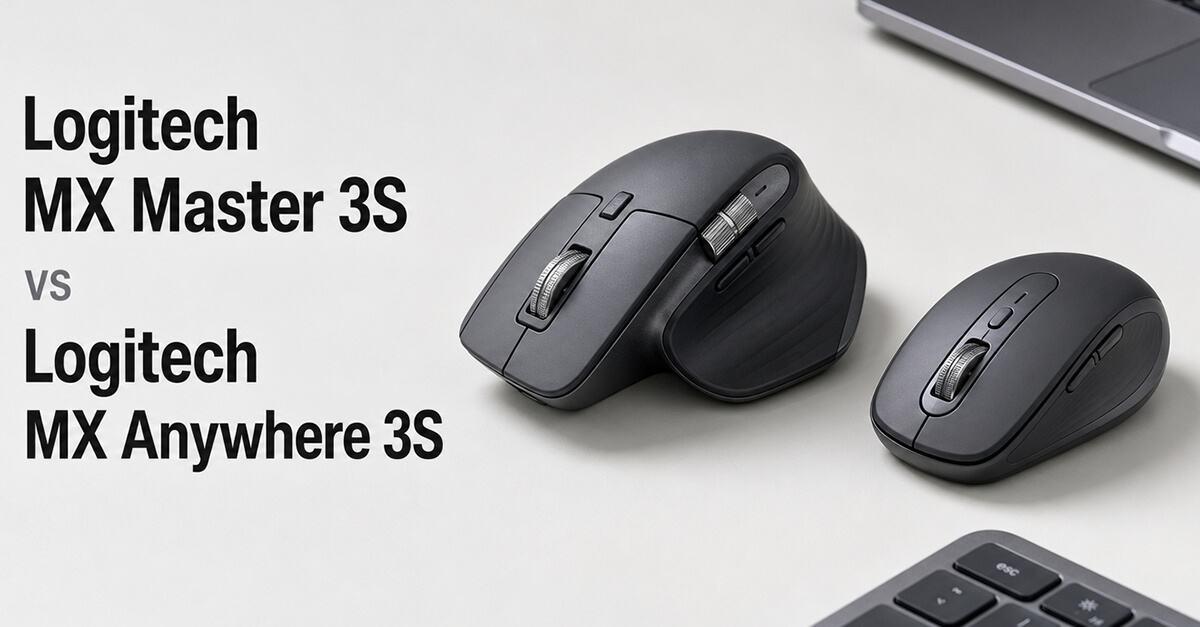
A quality wireless mouse can significantly improve productivity, especially for professionals who spend hours working with spreadsheets, presentations, design software, or multiple displays. Logitech’s MX series has become the benchmark for premium productivity mice, with the MX Master 3S and MX Anywhere 3S standing out as two of its most popular models. Although they share many core features—including silent clicks, multi-device connectivity, and Logitech’s renowned tracking technology—they are designed for different workstyles. This comparison explores their design, comfort, performance, portability, battery life, and overall value to help you choose the right mouse for your workflow.
Quick Verdict
- Choose the Logitech MX Master 3S if: You work primarily at a desk, spend long hours using productivity software, and want the most feature-rich ergonomic mouse available.
- Choose the Logitech MX Anywhere 3S if: You frequently travel, work from different locations, or want a compact premium mouse that fits easily into a laptop bag.
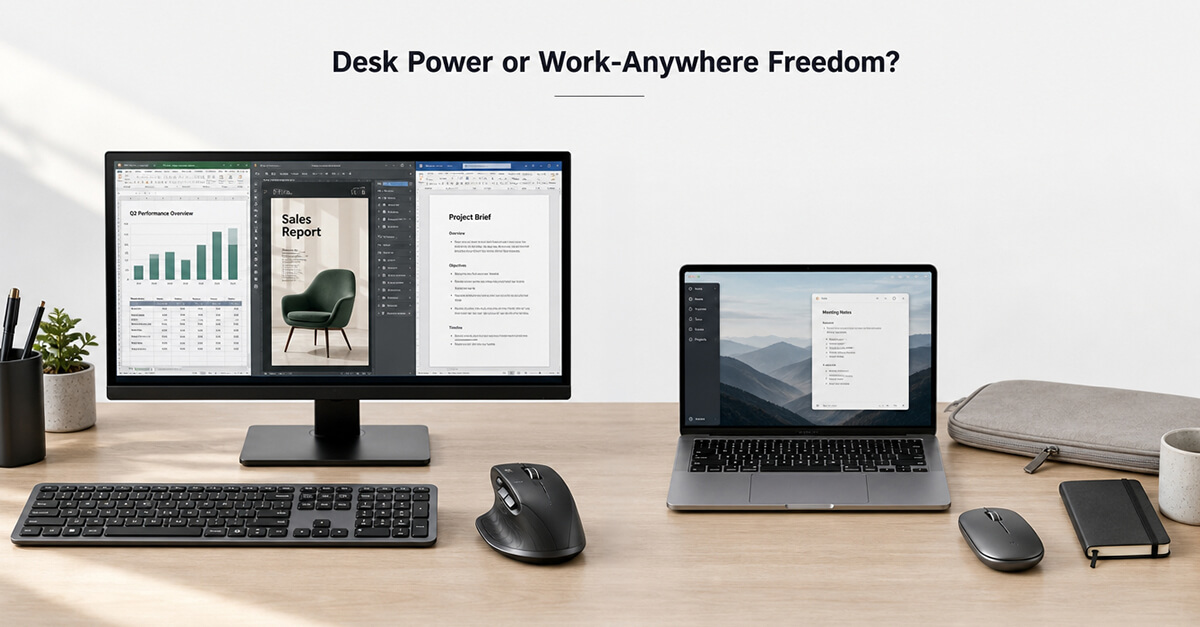
For dedicated desktop productivity, the MX Master 3S is the clear winner. For professionals constantly on the move, the MX Anywhere 3S offers exceptional portability without sacrificing performance.
Product Overview
Logitech MX Master 3S
Amazon URL: https://www.amazon.com/Logitech-Wireless-Ultra-fast-Scrolling-Bluetooth/dp/B09HM94VDS
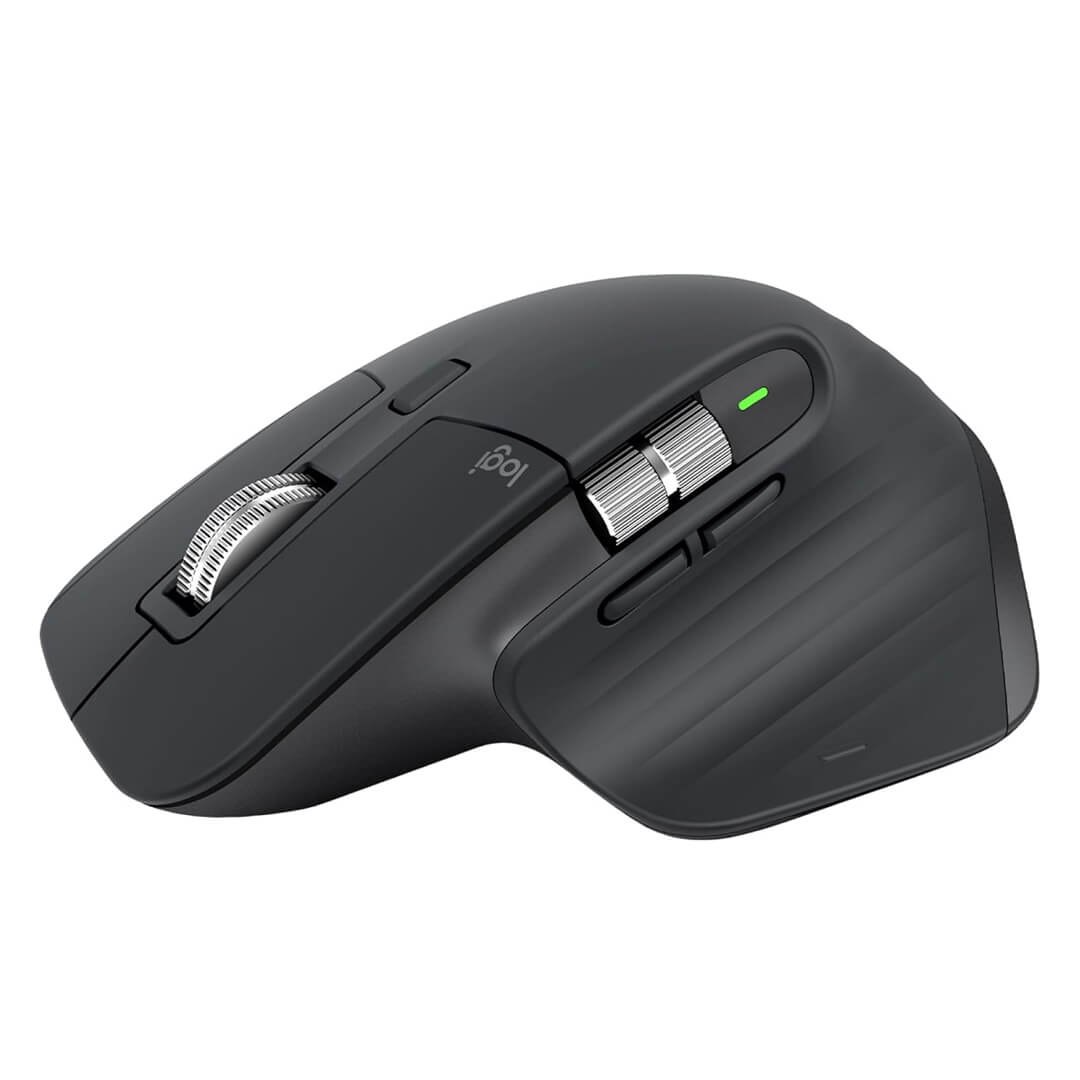
The Logitech MX Master 3S is widely regarded as one of the best productivity mice available. Designed for professionals, it features an ergonomic shape, ultra-fast MagSpeed scrolling, customizable buttons, silent clicks, and multi-device connectivity. It excels in office work, programming, design, video editing, and multitasking across multiple monitors.
Logitech MX Anywhere 3S
Amazon URL: https://www.amazon.com/Logitech-Scrolling-Any-Surface-Programmable-Bluetooth/dp/B0BPY1JM2Q/ref=sr_1_1
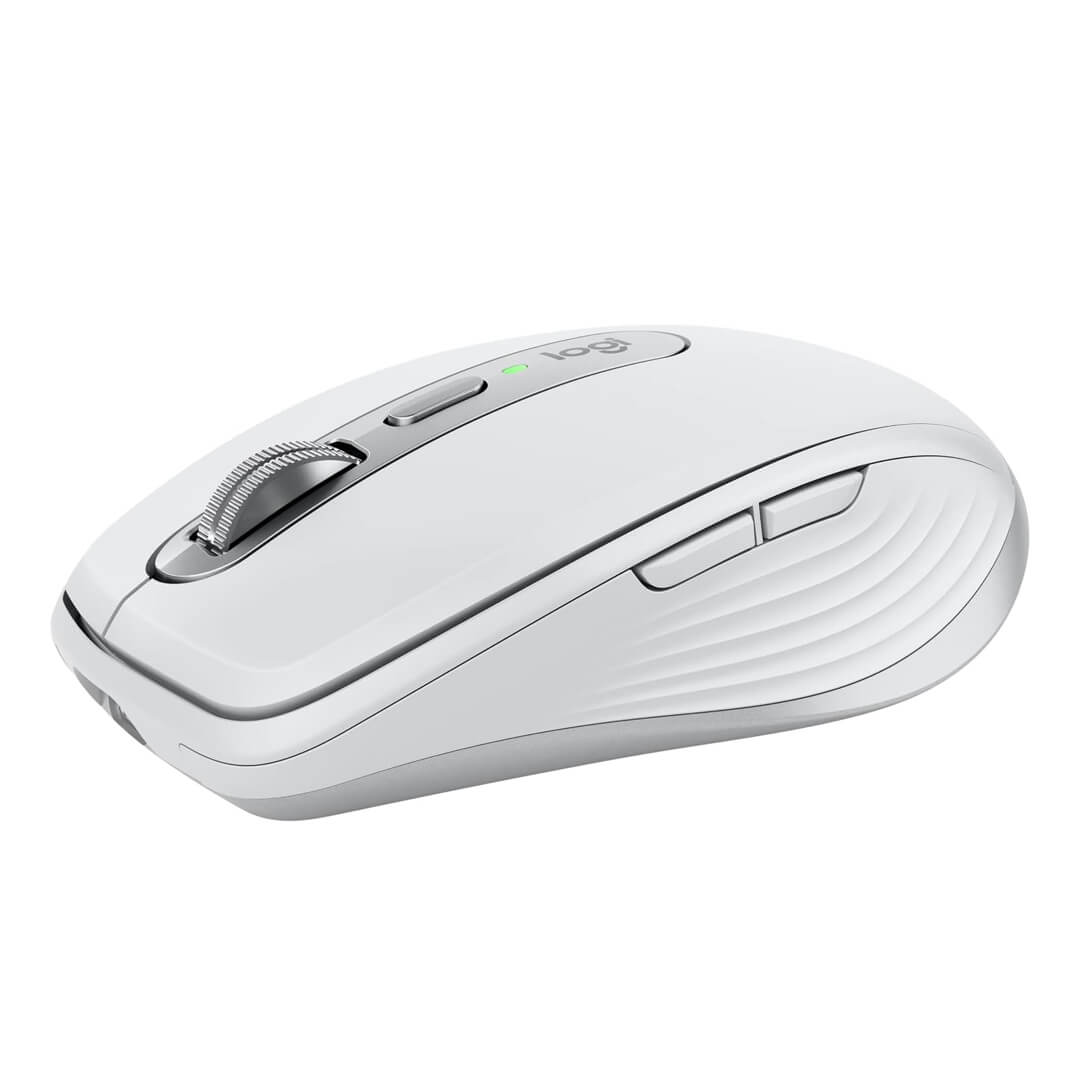
The Logitech MX Anywhere 3S brings many of the MX Master’s premium features into a smaller, travel-friendly design. It includes Darkfield tracking that works on almost any surface, silent clicks, customizable controls, and Bluetooth connectivity, making it ideal for mobile professionals and hybrid workers.
Side-by-Side Comparison
| Feature | MX Master 3S | MX Anywhere 3S |
| Design | Full-Size Ergonomic | Compact Portable |
| Weight | Heavier | Lighter |
| MagSpeed Scroll Wheel | Yes | Yes |
| Thumb Scroll Wheel | Yes | No |
| Programmable Buttons | More | Fewer |
| Multi-Device Support | Yes | Yes |
| Best For | Desktop Productivity | Travel & Mobile Work |
Comfort and Ergonomics
The MX Master 3S is built for extended desktop use. Its sculpted ergonomic shape supports the palm naturally, reducing wrist fatigue during long work sessions. The thumb rest and additional side controls make repetitive tasks more comfortable, especially for professionals who spend eight or more hours at a computer.
The MX Anywhere 3S prioritizes portability over full-hand support. Its compact design is comfortable for shorter work sessions and frequent travel, although users with larger hands may find it less supportive during extended use.
If comfort is your highest priority, the MX Master 3S has a clear advantage.
Winner: Logitech MX Master 3S
Productivity Features
Both mice feature Logitech’s MagSpeed electromagnetic scrolling, allowing users to move quickly through lengthy spreadsheets, reports, web pages, and documents. They also support Logitech Options+ software, enabling users to customize buttons, create application-specific shortcuts, and seamlessly switch between multiple devices.
The MX Master 3S goes further by adding a dedicated thumb scroll wheel and additional programmable buttons. These features significantly improve workflows in Excel, Adobe Creative Cloud, CAD applications, video editing software, and other professional tools.
The MX Anywhere 3S delivers many of the same capabilities but with a simpler button layout designed to maintain its compact size.
Winner: Logitech MX Master 3S
Portability and Travel
Portability is where the MX Anywhere 3S truly shines.
Its lightweight design easily fits into laptop sleeves, backpacks, and briefcases, making it perfect for business travel, coworking spaces, client meetings, and hybrid work environments. Darkfield tracking allows it to perform accurately on desks, glass surfaces, and even airplane tray tables.
The MX Master 3S is portable enough for occasional travel but is noticeably larger and heavier. It performs best as a dedicated desktop mouse rather than a constant travel companion.
Winner: Logitech MX Anywhere 3S
Battery Life and Connectivity
Both mice support Bluetooth connectivity and Logitech’s Logi Bolt USB receiver, allowing users to connect to multiple devices and switch between them with a single button. This feature is particularly valuable for professionals working with separate desktop and laptop systems.
Battery performance is excellent on both models, with a single charge lasting for weeks under typical business use. USB-C fast charging provides several hours of operation from just a short charging session, minimizing downtime.
Since battery life and connectivity are nearly identical, neither model has a meaningful advantage.
Winner: Tie
Pros and Cons
Logitech MX Master 3S
Pros
- Outstanding ergonomic comfort
- Thumb scroll wheel for advanced productivity
- More programmable buttons
- Excellent for multitasking and creative software
Cons
- Larger and heavier
- Less convenient for frequent travel
Logitech MX Anywhere 3S
Pros
- Compact and lightweight
- Excellent travel companion
- Works on almost any surface
- Premium productivity features
Cons
- Smaller shape may not suit larger hands
- Fewer programmable controls
Which Mouse Should You Buy?
Choose the Logitech MX Master 3S if you primarily work at a desk and spend long hours using business applications, spreadsheets, creative software, or multiple monitors. Its superior ergonomics and expanded feature set make it one of the best productivity mice available.
Choose the Logitech MX Anywhere 3S if your work involves frequent travel, remote work, or moving between different workspaces. It delivers nearly all of Logitech’s premium productivity features in a compact design that’s easy to carry anywhere.
Final Verdict
Both mice represent the best of Logitech’s productivity lineup, but they serve different professional needs.
The Logitech MX Master 3S is the better overall productivity mouse thanks to its exceptional ergonomics, advanced controls, and desktop-focused design. It’s an outstanding investment for professionals who spend most of their day working at a computer.
The Logitech MX Anywhere 3S is the ideal choice for mobile professionals who need premium performance without carrying a full-size mouse. Its compact design, reliable tracking, and excellent portability make it one of the best travel-friendly productivity mice on the market.
Overall Winner: 🏆 Logitech MX Master 3S
Best for Travel & Hybrid Work: 🏆 Logitech MX Anywhere 3S
Frequently Asked Questions
1. Is the Logitech MX Master 3S better than the MX Anywhere 3S?
Yes, for desktop productivity. The MX Master 3S offers better ergonomics, more programmable controls, and additional productivity features.
2. Which mouse is better for travel?
The MX Anywhere 3S is specifically designed for portability, making it the better option for business travelers and remote professionals.
3. Can both mice connect to multiple devices?
Yes. Both support Bluetooth and Logi Bolt connectivity, allowing users to switch between multiple computers easily.
4. Are both mice compatible with Windows and macOS?
Yes. Both models work seamlessly with Windows, macOS, and several other operating systems through Logitech Options+ software.
5. Which Logitech mouse should I buy?
Choose the MX Master 3S if you want the best productivity mouse for a dedicated workstation. Choose the MX Anywhere 3S if you need a premium wireless mouse that’s compact enough to travel everywhere with you.